BrandFetch
Partner projects started with a scavenger hunt for logos and fonts, so I turned it into one click from website to Figma.
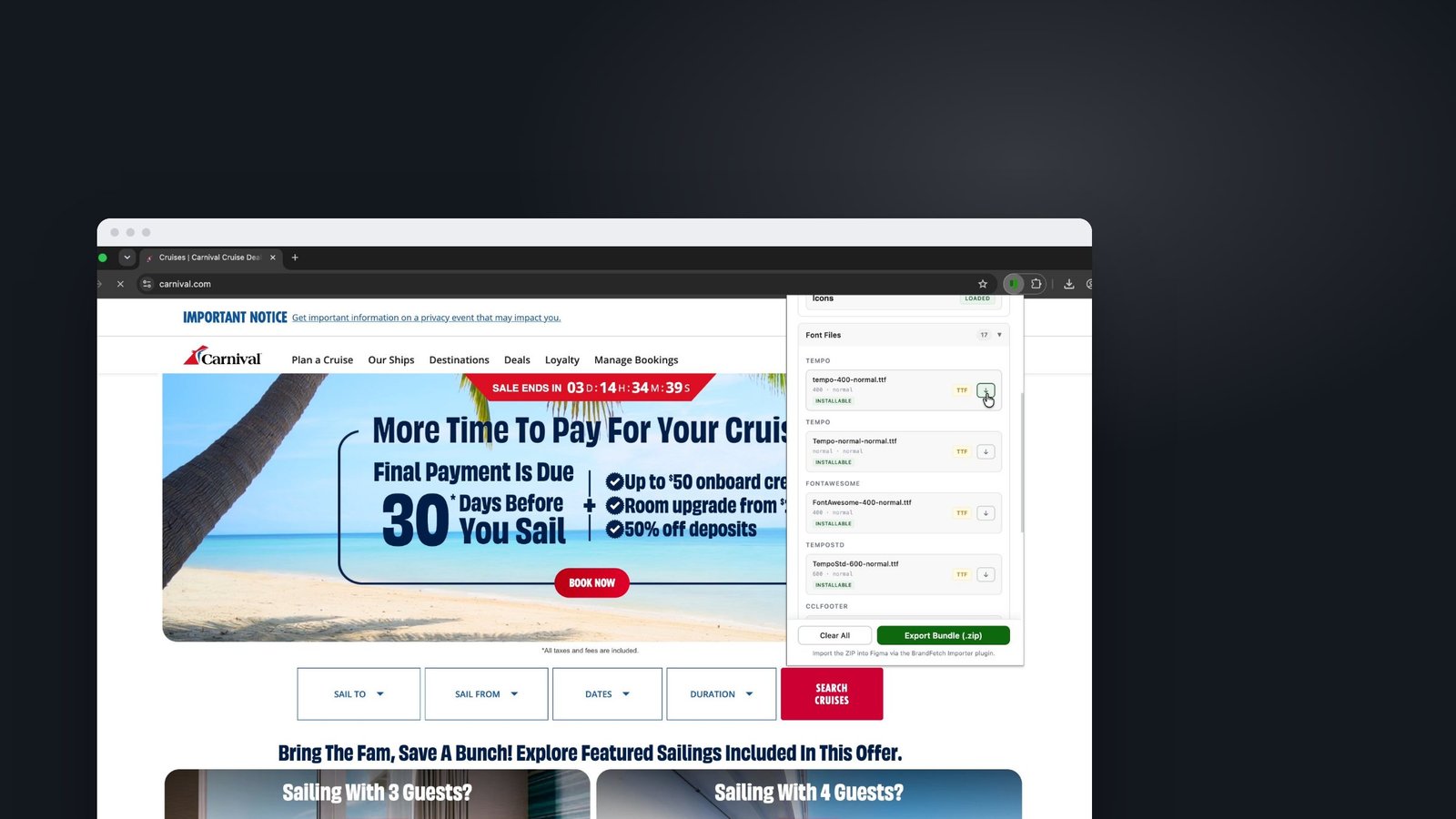
Overview
A Chrome extension and a companion Figma plugin. The extension collects a partner's brand from their website (logos, colours, fonts, icons, social posts and emails), and the plugin builds a ready-to-use Brand Reference page in Figma. Version 2.0.2 passed the company's security review.
The real problem
Every partner-branded project, whether for a cruise line, a hotel or a credit union, began the same way: hunting for logos, eyedropping colours and guessing fonts.
Gathering assets could take longer than the first design, and every designer ended up with a slightly different kit. The real problem was a missing step in the workflow, not a lack of effort.
What good looked like
- One click from a partner's website to a brand kit
- Lose nothing: every distinct colour and every font file
- Pass a security review, so the team could actually use it
How I solved it
Start where the work starts
Designers begin on the partner's website, so the extension collects everything there and the plugin unpacks it where they design.
Make fonts usable
Installable fonts come first, web-only fonts are clearly separated, and web fonts are converted so they can be installed.
Add inspiration
Version 2 also collects social posts and emails into a Social Inspiration section of the brand page.
Design for security
Version 2.0.2 was a full security release, with path guards, resource limits and an audited build, so it could be rolled out.
What I built
Extract
Logos, colours (every distinct hex), fonts and icons from any site.
Collect
Save social posts and email designs as inspiration while you browse.
Export bundle
One .zip, which BrandFetch Importer turns into a structured Brand Reference page in Figma.
Key decisions
- I kept every distinct colour instead of averaging them into a palette. Designers decide what is primary, not the tool.
- I treated the security review as part of the design. Tight permissions and clear limits are what got it approved.
Outcome
- Gathering a brand went from a research task to a one-click step
- Every designer starts partner work from the same complete kit
- The extension-plus-plugin pairing became the model for Godfrey's Chrome extension
What I learned
In a regulated company, getting through security review is part of the user experience.
Credits
- Role
- Product designer & builder
- Company
- Upgrade, Inc.
- Year
- 2026
- Platform
- Chrome extension + Figma plugin
- Built with
- Chrome Extensions MV3, Figma Plugin API
Got a project?
let's talk
Bringing AI into your team's workflow, or designing a product people love? Let's find the real problem first.
Get in touch